
Smart Views
The Smart Views tab manages the visual building blocks your AI uses to design pages and interact with users.
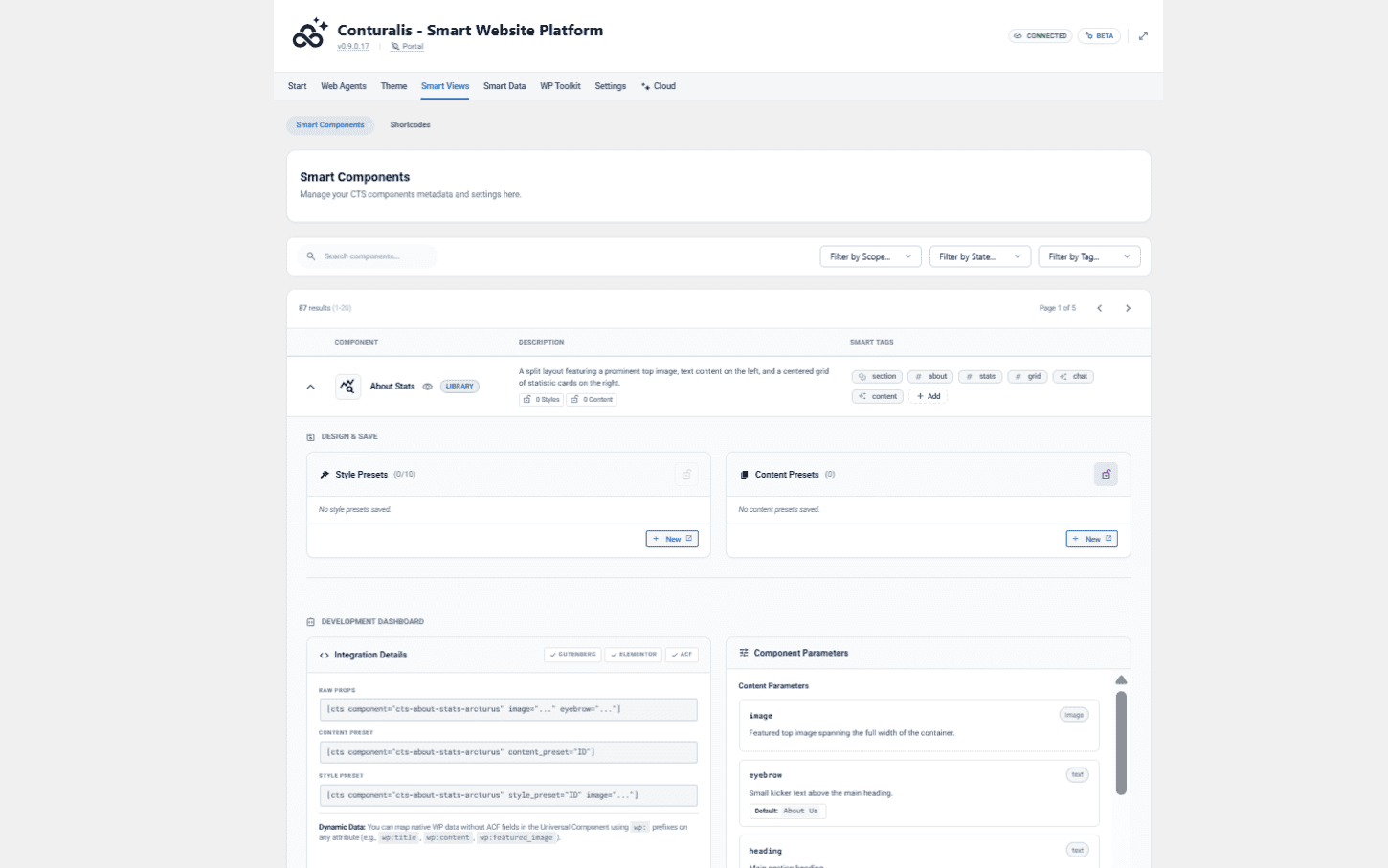
1. Smart Components & Presets
View the available visual blocks (e.g., Hero Banners, Pricing Tables). Here, you manage the global synchronization of your UI via our dual-preset system:
- Content Presets: Save the actual data (text, images, links) inside a component. Ideal for reusable information like a global "Partner Call-to-Action" block.
- Style Presets: Save the visual configuration (colors, spacing, layouts) independently of the content. You can attach a Default Style Preset to a Content Preset.
- Component Locks: Lock specific attributes within a preset to maintain absolute brand consistency, preventing human editors and AI Agents from overriding them.
UI Navigation (Smart Components)
When editing a component inside the native WordPress editor (Gutenberg), look at the right-hand sidebar under AI Preset Settings. Click the Active Mode toggle to switch between CONTENT PRESET and STYLE PRESET.
2. Legacy Shortcodes & Permissions
- Shortcodes: Manage legacy shortcodes for environments that do not support modern blocks.
- Agent Usage Permissions: Explicitly allow or deny your AI agents the ability to utilize your Smart Components and Shortcodes during their operations. Navigate to the Web Agents tab, select a specific agent's Config sub-tab, and use the provided toggles to grant or revoke access.