
Generation & Config
Your autonomous writer and page builder. The Content Agent handles everything from writing blog posts to orchestrating complex, multi-section page layouts.
1. Generate
See all your active content configurations (e.g., "Weekly Blog Posts"). Enter the amount you want to generate, and click Generate Selected. A live execution log at the bottom of the screen will show you exactly what the AI is thinking and building in real-time.
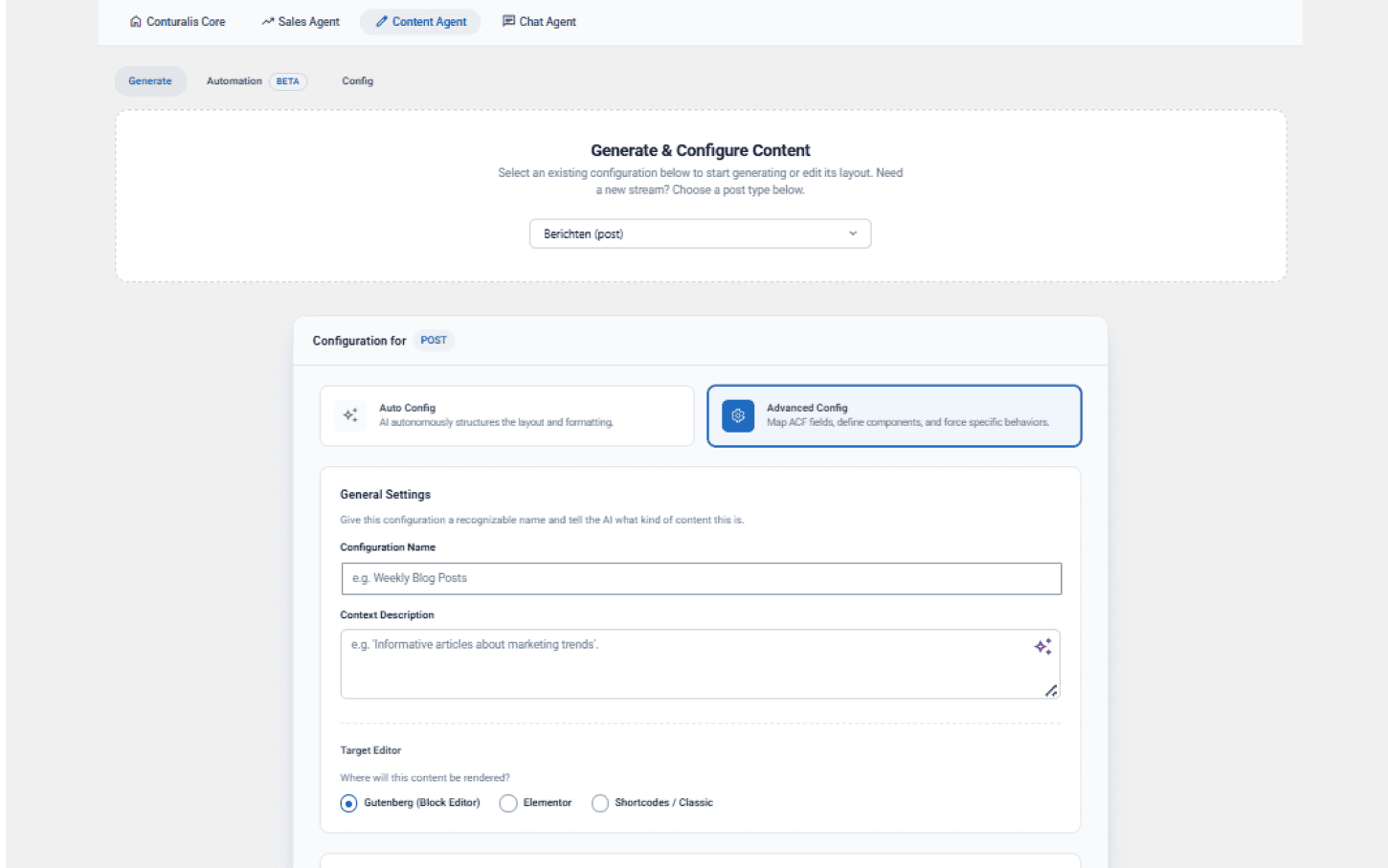
Click the + Start new configuration... dropdown to select your post type. Use the number input to specify the amount. Click the ⚙️ ADVANCED or ✨ AUTO toggle, then click the purple ✨ Generate Selected button.
2. Configuration Modes
Build the rules for the AI using two distinct modes:
- Auto Mode: A streamlined, hands-off setup tailored to your site. The Cloud automatically provisions an unbounded "Smart Canvas" and grants the AI full autonomy to pull from your global components.
- Advanced Mode: You become the layout architect. You construct a strict Page Skeleton by stacking specific Master Components and Presets. You can also drop in a "Smart Canvas" (AI Zone) to explicitly define how many components the AI is allowed to spawn.
3. Automation
Put your content on autopilot. Set schedules (e.g., "Generate 5 posts every Monday at 09:00"), decide if generated content should be saved as a Draft or Published immediately, and configure the agent to send a summary report to your email whenever new drafts are ready for review.