
Smart Data
The Smart Data tab is where you build your private knowledge base so the AI knows your business facts securely and accurately.
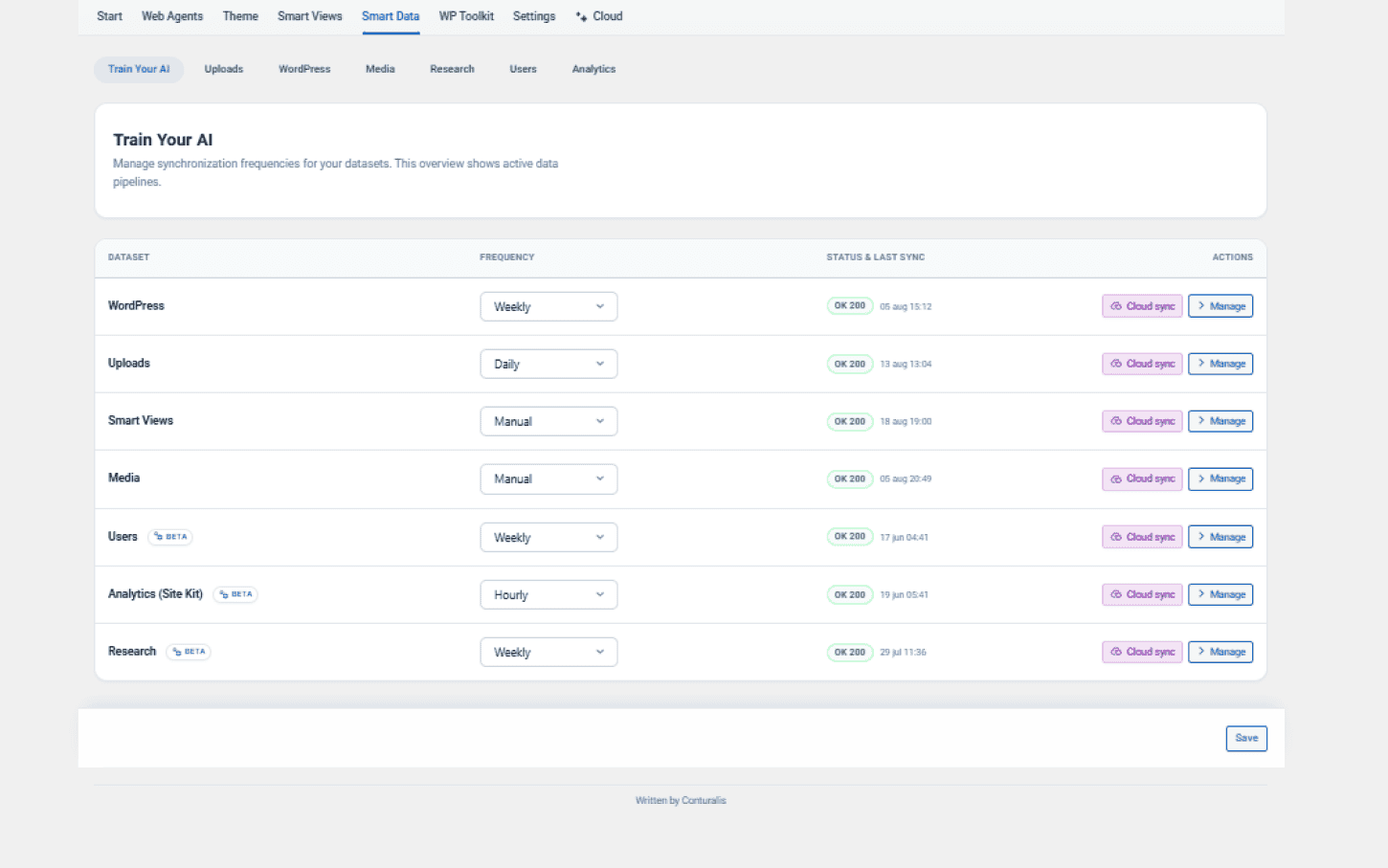
1. Train Your AI (Overview)
See the synchronization status of all your connected data sources at a glance, and manually trigger a "Sync Now" if you recently updated your site.
UI Navigation (Overview)
Use the Frequency dropdown (Weekly, Daily, Manual, Hourly) to set sync schedules. Click the purple ✨ Sync now button on any row to force an immediate update. Click the > Manage button to enter that specific dataset's configuration.
2. Data Sources
- Uploads: Upload external files (PDF, DOCX, TXT, CSV, JSON, XML - Max 50MB) and tag them to give the AI offline context.
- WordPress: Map your existing WordPress Pages, Posts, and Custom Post Types so the AI can read and refer to them natively.
- Media: Map your existing WordPress media library. You can bulk-select images to assign Smart Tags and allow the AI to automatically write descriptive Alt Texts.
- Web Crawls: Enter external URLs for the AI to scrape and learn from, integrating outside knowledge directly into your RAG vectors.