Smart Layouts
Smart Layouts serve as generative structural blueprints across the Conturalis platform. They define an exact sequential order of Smart Components, presets, and dynamic AI zones to guarantee consistent output across automated campaigns and manual site building.
Smart Layouts eliminate design drift by locking down document hierarchies before content hydration begins, whether executed by human designers in Gutenberg or automatically orchestrated by the Content Agent.
1. Accessing Smart Layouts
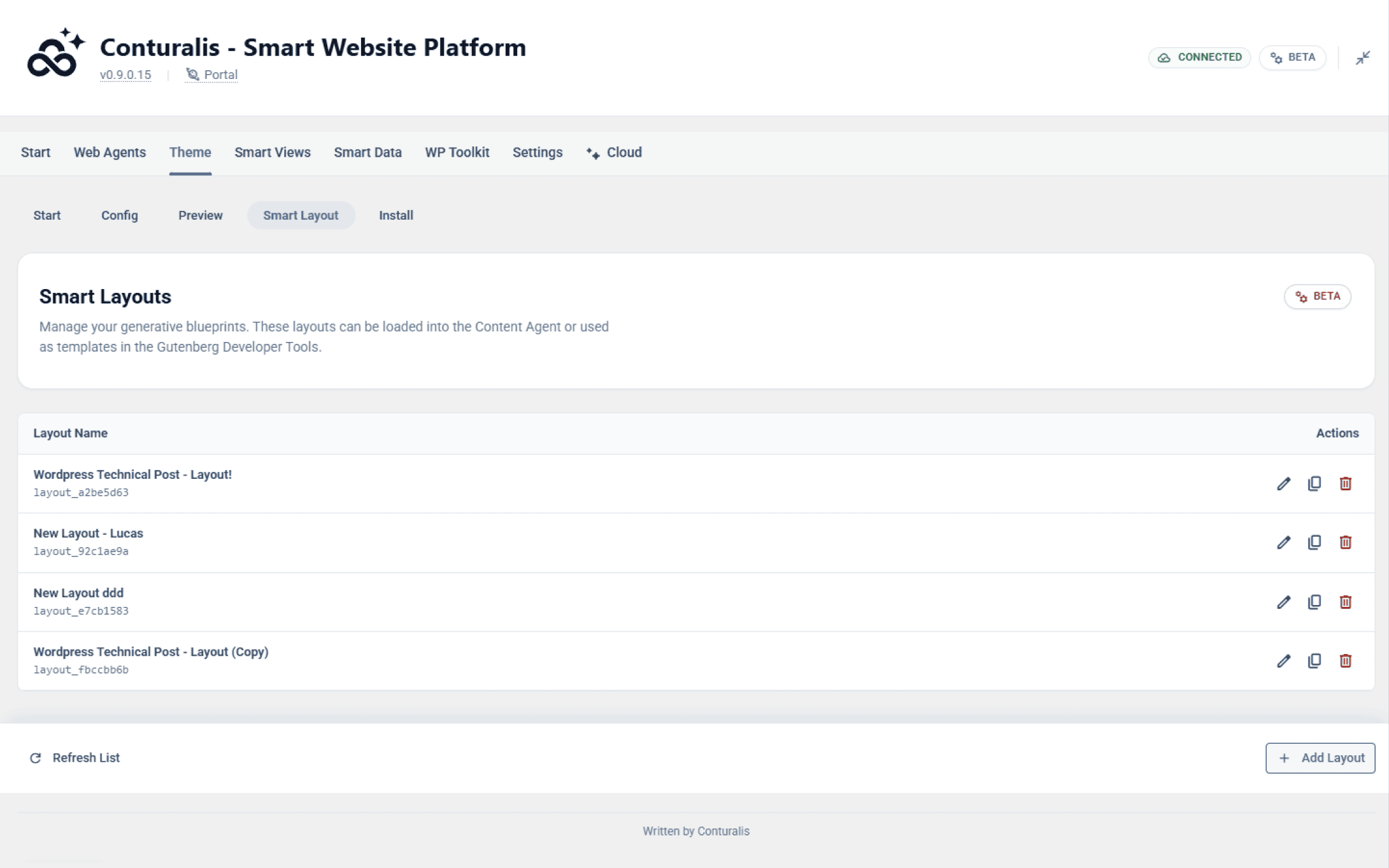
To view and create blueprints, navigate to Theme > Smart Layout within the Conturalis WordPress administration panel. Here you will find an overview of all active generative blueprints registered in the environment.
2. Assembling Components and Presets
Click + Add Layout to open the blueprint builder modal. When constructing a layout, you have complete flexibility to sequence different layer types:
- Smart Components: Core or Custom framework components inserted in their clean, default state.
- Style Presets: Components locked to specific visual styling tokens, leaving content open for dynamic population.
- Content Presets: Pre-packaged content structures that inherit attached styling rules automatically.

3. Generative Smart Canvas Zones
For autonomous AI workflows, you can insert Smart Canvas zones into your blueprint. By defining a numeric component threshold within the zone box, you grant the AI agent permission to autonomously evaluate topical context and select the most suitable Smart Components to fill that section of the page.
4. Saving and Deploying Blueprints
Once your sequence is configured, click Save Layout. The blueprint is instantly compiled and ready for deployment across two primary environments:
- Gutenberg Native Editor: Insert the
cts-layoutSmart Component and select your saved layout from the Developer Tools panel to replace the editor canvas with your blueprint instantly. - Content Agent Automation: Assign the Smart Layout as the structural master template for scheduled generation pipelines.