
Managing user permissions
Granting Core Settings access permits users to view and modify global API keys, licensing tokens, webhooks, and the system Danger Zone. We strongly recommend reserving Core Settings strictly for technical administrators.
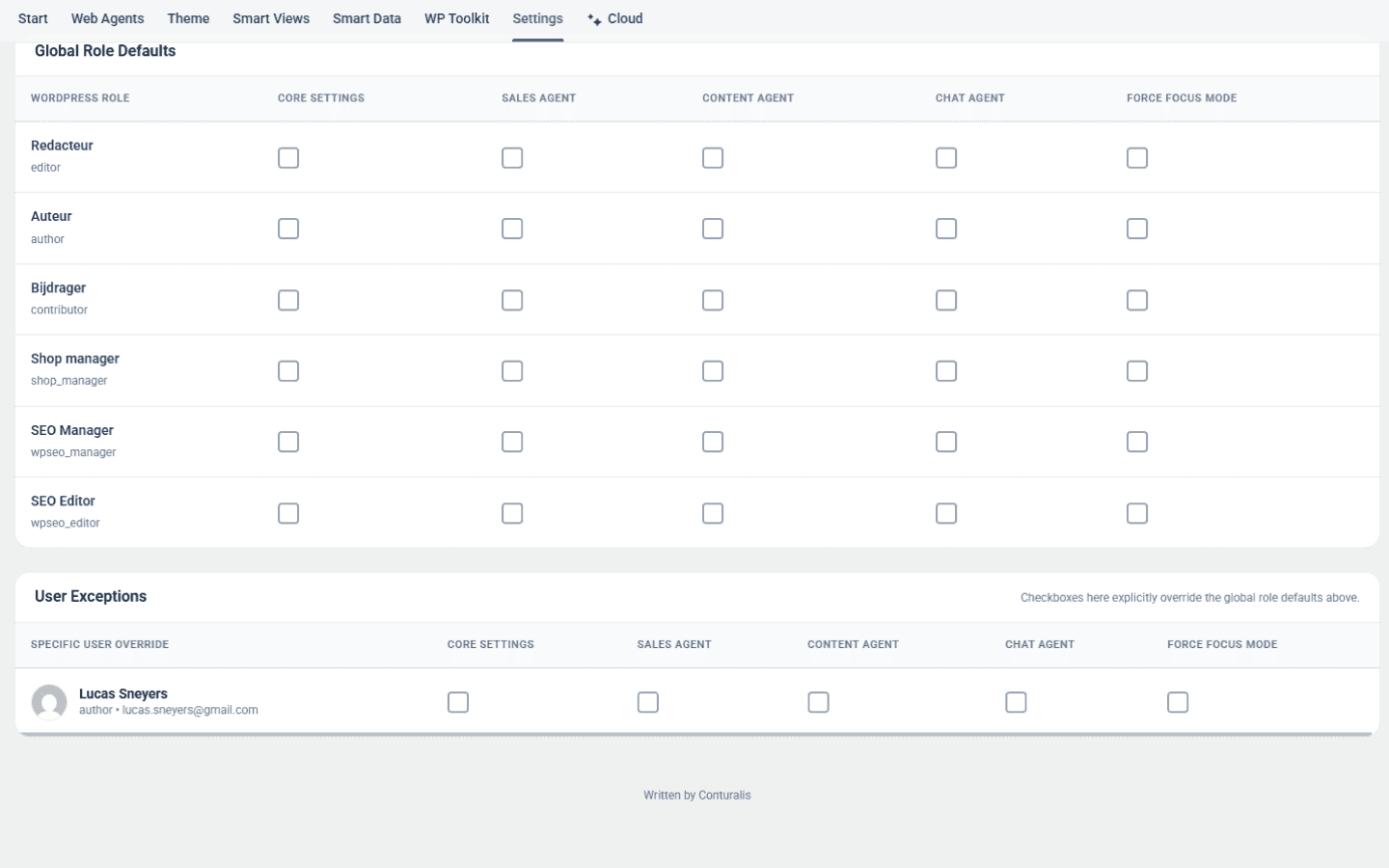
Conturalis includes a granular Role-Based Access Control (RBAC) engine that allows site administrators to delegate specific AI Agents (Sales, Content, Chat) to various WordPress user roles, enforce a distraction-free Focus Mode, and define individual user exceptions.
1. Global Role Defaults
Navigate to Conturalis → Settings → Access to view the permissions matrix. Every registered WordPress role (e.g., Editor, Author, Shop Manager, SEO Manager) can be granted access to distinct functional areas:
- Administrator Privileges: WordPress Administrators automatically receive unrestricted, full system access to all agents and settings.
- Granular Agent Delegation: Check only the specific agents required for a role's daily workflow (e.g., granting the Content Agent to Authors and Editors, while granting the Sales Agent strictly to Business Development managers).
- Core Settings Toggle: Restrict system configuration access away from non-technical content creators.
2. Force Focus Mode
The Force Focus Mode checkbox allows administrators to lock specific user roles into a clean, distraction-free app shell:
- Hides the native WordPress admin sidebar menu, top bar clutter, and standard dashboard widgets.
- Presents users with a streamlined interface focused purely on their designated AI Agents.
- Ideal for external copywriters, sales contractors, or agency clients who only require access to specific agent workflows.
3. User Exceptions (Granular Overrides)
Beneath the global role matrix, the User Exceptions panel allows you to define targeted overrides on a per-user basis:
- Priority Hierarchy: Permissions set in the User Exceptions table explicitly override the global role defaults above.
- Selective Elevation: Grant an individual Author (e.g., Lucas Sneyers) access to the Sales Agent or Focus Mode without altering permissions for all other Authors on the site.
- Revocation: Explicitly uncheck capabilities to restrict access for specific users while keeping their broad WordPress role intact.
4. Saving & Applying Access Rules
- Configure your desired role checkboxes and individual user overrides.
- Click the blue Save button in the top right corner of the Role & Access card.
- Permissions take effect immediately upon the user's next navigation or page reload.